Retro Orange Red Patterns for Bold Sublimation and Craft Projects
If you have ever struggled to find digital backgrounds that combine vintage charm with high-impact color, a set of retro orange red patterns might be exactly what your creative toolkit needs. These designs draw on the energy of mid-century aesthetics while delivering the saturation and contrast that make print projects pop. Whether you are a small business owner producing custom merchandise or a hobbyist exploring sublimation for the first time, understanding how to work with these vibrant, non-seamless backgrounds can open up new possibilities for your work.
This article walks through what retro orange red pattern sets typically offer, the specific challenges they address, and practical ways to integrate them into real-world products. You will also find guidance on file specifications, design considerations, and tips for getting the most out of each background.
What Makes Retro Orange Red Patterns Distinctive
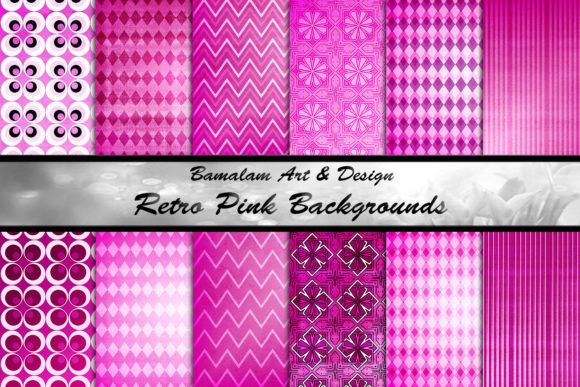
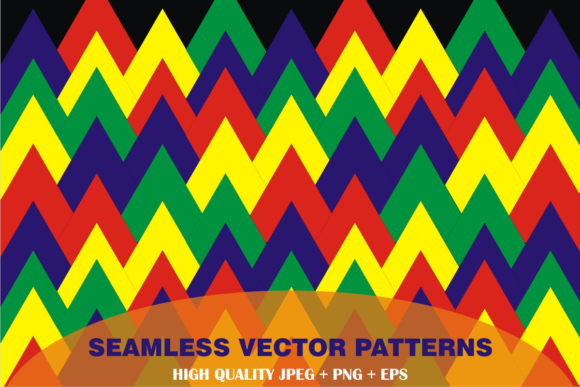
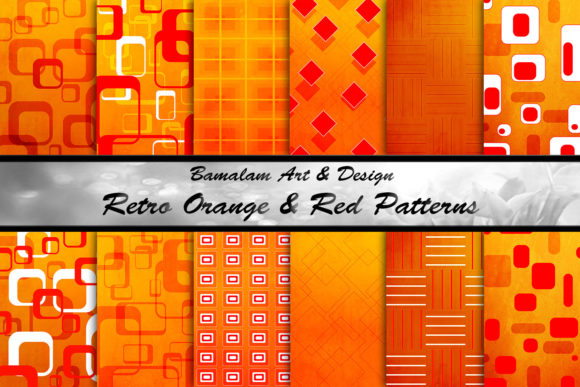
Retro orange red patterns belong to a family of vintage-inspired graphics that borrow heavily from the bold geometry and warm palettes of the 1950s, 60s, and 70s. Unlike muted or pastel retro styles, these designs lean into high energy. Orange and red sit side by side, often arranged in repeating squares, rectangles, and geometric blocks that create a sense of movement and rhythm.
A typical collection includes twelve individual JPEG files. Each one measures 3600 by 3600 pixels at 300 dpi, which translates to a 12 by 12 inch canvas. This resolution is important because it gives you enough detail to print on large items like tote bags or pillow covers without losing sharpness. At the same time, the square format makes cropping flexible for rectangular products like notebooks or phone cases.
It is worth noting that these are not seamless patterns. That distinction matters for certain projects. If you need a continuous repeat across an entire roll of fabric or a large wall mural, a seamless tile is the better choice. But for single-surface applications like mugs, bags, or individual prints, the non-seamless approach offers distinct advantages. Each background stands alone as a complete composition, with its own layout and focal points. This means you can use one file per product and get a finished look without having to spend time aligning repeats or hiding seams.
Common Challenges That Retro Orange Red Patterns Solve
Anyone who works with sublimation or paper crafting eventually runs into a few recurring problems. The first is color fatigue. After designing with the same neutral tones or soft pastels for a while, it is easy to feel like every project looks the same. Introducing a bold retro orange red pattern instantly shifts the energy of a design. It wakes up the composition and gives you a foundation that can carry simpler text or minimal graphics without feeling flat.
Another frequent challenge is finding backgrounds that are both retro and bright. Many vintage-style graphics lean heavily toward faded, distressed, or sepia looks. While those have their place, they can feel too subdued for products meant to attract attention on a retail shelf or at a craft fair. A set of very bright and funky orange and red backgrounds fills that gap. It gives you the nostalgic feel of retro design without sacrificing the visual punch that makes shoppers stop and look.
File consistency is another pain point. When you purchase backgrounds from different sources, you often end up with mismatched resolutions, color profiles, or aspect ratios. A unified set of twelve files with identical dimensions and dpi means you can rotate through them in your product lineup without having to resize or adjust each one individually. That saves time and reduces the chance of errors during printing.
Practical Applications for Different Users
The way you use retro orange red patterns will depend on the type of projects you handle and the audience you serve. Below are several common use cases, with specific examples and considerations for each.
Sublimation on Drinkware and Home Goods
If you produce sublimated mugs, tumblers, or water bottles, the 3600x3600 pixel resolution gives you full coverage on standard 11 ounce mugs and 20 ounce tumblers. The orange and red color combination works especially well for products that need a warm, energetic look. For a coffee mug, you might use one of the more geometric patterns as a full wrap, then add a simple white or black quote in the center. For tumblers, the tall square format of the background means you can position the most interesting part of the pattern at the front or let the design wrap naturally around the curve.
Pillows and bags also benefit from these backgrounds. A 12x12 inch pattern fits a standard square throw pillow insert perfectly. When printing on fabric, the high dpi ensures that the edges of the geometric shapes stay crisp. For tote bags, you can use the full 12 inch background for the front panel, or crop a section for a smaller zipper pouch.
Paper Craft and Scrapbooking
Paper crafters often need single-use backgrounds for cards, layouts, and gift tags. Non-seamless patterns work well here because you are not tiling them across a large surface. Each 12x12 inch sheet can be printed on cardstock and used as a standalone layer. You can cut individual squares or rectangles from the design to create matching embellishments, or use the whole sheet as a backdrop for a photo or focal element.
For scrapbook layouts, the retro orange red patterns add contrast against black-and-white or sepia photos. They also pair naturally with metallic accents like gold or copper foil. If you are working on a travel album or a project with a mid-century modern theme, these backgrounds can set the tone without requiring additional patterned paper.
Phone Cases and Notebooks
Sublimation on phone cases demands a background that looks good when cropped to a non-square shape. Because the files are 12x12 inches, you have plenty of room to position your crop. You can center the design so the most vibrant part of the pattern appears in the middle of the case, or offset it for a more dynamic look. Notebook covers follow the same logic. A 12x12 inch file gives you enough margin to fit standard A5, B5, and letter-size notebooks with some area left over for adjustments.
The brightness of the orange and red tones also helps small items stand out. A phone case or notebook tends to be a personal accessory that people carry with them daily. A bold retro background makes the product feel intentional and unique rather than generic.
How to Choose the Right Pattern for Your Project
Even within a single set of twelve backgrounds, variation exists. Some patterns lean more orange, while others are red-dominant. Some use large geometric blocks, while others rely on smaller repeating squares. Here are a few practical guidelines for matching patterns to products.
- Large items with smooth surfaces: Choose patterns with bold, large-scale geometry. The shapes will remain visible and impactful from a distance. Think tote bags, pillow covers, and wall art.
- Small or curved items: Patterns with smaller, denser repeats tend to wrap more naturally around curved surfaces like tumblers and phone cases. The design looks full without being cut off awkwardly.
- Projects with text overlay: Look for backgrounds that have enough negative space or tonal variation to keep text readable. A pattern with solid blocks of orange and red may require a white or black text box to maintain contrast.
- Layering in paper crafts: Choose patterns that include clear rectangular divisions. These can be cut apart and used as separate mat layers or accent strips, extending the value of a single sheet.
Important Technical Considerations Before You Print
Working with high-resolution JPEG files is straightforward, but a few details will help you avoid common pitfalls. First, always check the color profile of your sublimation printer and software. The files you receive are likely in sRGB or Adobe RGB. If your printer uses a different profile, you might need to soft-proof the colors before printing. Orange and red tones can shift toward brown if the profile mismatch is significant.
Second, because these are not seamless patterns, you should decide in advance whether you want the full square image or a cropped portion. Cropping gives you flexibility but also removes some of the original composition. If you are producing multiple items in the same product line, consider using a consistent crop region across all twelve backgrounds so your collection has visual cohesion.
Third, test print a small version of each background on the material you plan to use. Sublimation results vary by substrate. A polyester fabric blend will render colors differently than a hard surface mug coating. Seeing the actual output helps you decide whether to adjust brightness, contrast, or saturation in your design software before committing to a full production run.
Finally, store your files at their original resolution and avoid compressing them for digital use. The 300 dpi standard is intended for print. If you downsample the files for preview or web use, keep a separate master folder with the originals untouched.
Approaching the Set from Different Creative Perspectives
Different users will naturally gravitate toward different ways of using these patterns. A small business owner selling on Etsy or at local markets might treat the set as a coordinated collection. They could build a whole product line around a single pattern family, offering a mug, a pillow, a notebook, and a phone case that all share the same visual language. Customers who love one item are more likely to buy others when they see them displayed together.
A hobbyist, on the other hand, might use the backgrounds more experimentally. They could mix and match patterns from different sets, layer them with transparent elements, or use them as starting points for digital painting and collage. The high resolution gives them room to zoom in on interesting sections and treat the patterns as raw material rather than finished designs.
Teachers and workshop leaders might find these backgrounds useful for classroom projects. A single 12x12 print can be cut into smaller pieces for multiple students. The vibrant colors keep young learners engaged, and the retro aesthetic adds a stylistic element that older students can analyze in art or design lessons.
Graphic designers working on mood boards or presentation mockups can drop these backgrounds into product templates to quickly communicate a vintage, energetic brand feel without having to build the pattern from scratch. The non-seamless nature works in their favor here because they are not trying to fill a large area with a repeating tile. They just need one compelling visual that sells the concept.
Making the Most of Your Twelve Backgrounds
With twelve files in one set, you have enough variety to cover a season of product releases or a themed collection. Consider assigning each background to a specific product type or even a specific customer persona. For example, the more structured geometric patterns might appeal to customers looking for modern retro style, while the looser, more organic designs might attract those who prefer a handcrafted, whimsical look.
If you are designing for a themed event or holiday, the orange and red palette is naturally suited to autumn, harvest, and Halloween projects. But do not limit yourself to seasonal use. These colors also work for sports-themed items, retro diner aesthetics, and any brand that wants to project warmth, energy, and nostalgia. When paired with neutral or black backgrounds, the patterns transition easily into year-round product lines.
One practical workflow tip is to create a template file for each product type you produce. Place one of the retro orange red patterns into the template, adjust the crop, and save a copy. Then swap in the next background and repeat. This batch processing approach saves you from adjusting margins, resolution, and color settings every time. You can preview all twelve designs in your product mockups within an hour or two and then make your final selections.
What to Expect from the Files and the Creative Process
The files you receive are JPEG images optimized for print. They have been created with sublimation in mind, meaning the colors are saturated and the contrast is high enough to survive the transfer process. Because the backgrounds are non-seamless, each one has its own unique layout. You will not find exactly the same arrangement repeated across multiple files. This gives you twelve distinct starting points rather than twelve variations on the same composition.
When you open a file in your design software, you should see a clean 12x12 inch canvas at 300 dpi. The pixel dimensions of 3600x3600 confirm that the image is ready for large-format printing without interpolation artifacts. If you need to scale the background down for smaller products, the resolution will remain excellent. Just avoid scaling up beyond the original dimensions, as that can introduce pixelation.
The creative process should be iterative. Start by placing your chosen background into a product mockup. Add foreground elements, text, or overlays. Print a test. Evaluate whether the colors match your vision and whether the pattern aligns properly on the product. Adjust as needed. With twelve backgrounds available, you have room to experiment without running out of material.
If you have any questions about how to use these patterns with your specific printer, material, or design software, it is best to reach out to the seller or consult the documentation that came with your equipment. Every setup is slightly different, and a quick conversation can save you from wasted time and materials.
Retro orange red patterns are more than just visually striking. They are practical tools that solve real problems for crafters, small business owners, and designers who need bold, consistent, high-resolution backgrounds. By understanding their strengths and limitations, you can put them to work in ways that elevate your products and streamline your process.